
Fulfillment by Amazon, or FBA, is a program that lets sellers send inventory to Amazon’s fulfillment network. Once inventory is received, Amazon can store the products, pick and pack orders, ship them to customers, and handle customer service and returns. If you are looking into how to send pallets to Amazon FBA, then you have come to the right place. This page is useful for Amazon sellers who are looking to ship pallets to Amazon FBA. In order to send pallets to Amazon FBA, an inbound shipment in Seller Central should be created. Then the next step would be to prepare and label each box. It is important to stack your freight on a pallet that meets Amazon’s current FBA pallet requirements, then wrap and secure the pallet. FBA pallet labels should be applied on each side. Then LTL or Full Truckload freight should be booked to the assigned Amazon fulfillment center. FreightCenter can help with this process by comparing carrier rates and arranging transportation. However, sellers remain responsible for complying with Amazon’s Seller Central requirements.
FBA Pallet shipping helps Amazon sellers ship large quantities of inventory or multiple cases to an Amazon Fulfillment Center. As opposed to shipping each box separately, sellers can stack boxes on a pallet so that the freight can move through LTL or truckload networks more efficiently
Get Shipping Quote with FBASending pallets to Amazon follows a few strict guidelines:
- Log in to Seller Central and create the shipment
- Confirm the assigned Amazon fulfillment center
- Prepare products and boxes
- Apply FBA box labels
- Stack boxes on a compliant pallet
- Stretch-wrap the pallet
- Apply four pallet labels
- Book LTL or FTL freight
- Provide accurate shipment details
- Track the shipment and monitor receiving
The right freight option depends on how many pallets you are shipping, how quickly the inventory needs to arrive, and whether your shipment fills an entire trailer. When it comes to shipping with Amazon FBA, Less Than Truckload (LTL) is good for shipping smaller items. Whereas with Full Truckload (FTL), this is best for shipping with Amazon FBA if you are shipping a larger shipment that would require the use of a full truckload. For LTL its best to use this option when shipping 1 to several pallets. Many sellers use this because it can lower cost when a full trailer isn’t needed. Also, for FTL this is best for large pallet shipments. Sellers can use this because it is better for high-volume inventory or fewer touchpoints.
| Freight Option | Best For | Why Sellers Use It |
|---|---|---|
| LTL | 1 to several pallets | Lower cost when a full trailer is not needed. |
| Full Truckload | Larger FBA shipments | Fewer touchpoints and a better fit for high-volume inventory. |
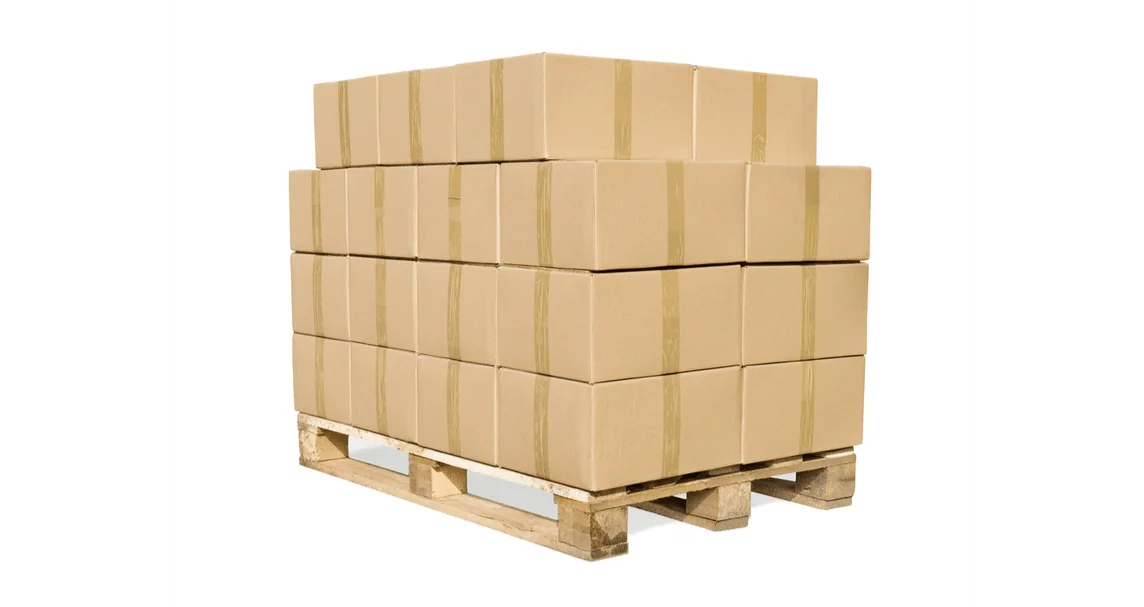
If you are looking for information on what you need to do for an FBA Freight quote, the answer is fairly simple. To receive an FBA freight quote, you need to provide your origin details, destination details, shipping terms, cargo specifications, and Amazon-specific References.
- Pickup ZIP code
- Amazon fulfillment center address or ZIP code
- Number of pallets
- Pallet dimensions
- Total weight
- Commodity type
- Freight class, if known
- Pickup date
- Liftgate needs
- Business or residential pickup
- Delivery appointment requirements
- Amazon shipment ID or reference numbers, when applicable
Common mistakes that can delay FBA shipments include label and compliance errors, discrepancies, Packaging and prep mistakes, as well as Shipping Carrier and Transit Issues.
- Missing FBA box labels
- Pallet labels placed under stretch wrap
- Boxes hanging over the pallet edge
- Wrong pallet size or unstable stacking
- Incorrect weight or dimensions on the Bill of Lading
- Sending freight to the wrong Amazon fulfillment center
- Not following Seller Central’s shipment workflow
Get Shipping Quote with FBA
FreightCenter helps Amazon sellers compare LTL and Full Truckload carrier options, arrange pickup, review shipment details, and move palletized freight to Amazon fulfillment centers. Sellers still need to create the shipment in Seller Central, follow Amazon’s packaging and labeling rules, and provide the correct Amazon shipment information when booking freight.
If and when you are preparing your FBA pallet, there are a few things to keep in mind as you check off your checklist. You want to ensure that the pallet specifications are met. Also, that the box requirements are appropriate. In addition, when it comes to the labeling and prep, it’s also important to make sure every box has its own label and that the pallets are also clearly labeled. Last but not least securing the pallet is very important.
- Confirm the fulfillment center address
- Print box and pallet labels
- Measure and weigh the pallet after wrapping
- Know whether you need liftgate pickup
- Confirm the freight is ready before scheduling pickup
- Keep Amazon shipment details handy
- Damaged pallet
- Incorrect pallet size
- Missing labels
- Labels not scannable
- Overhanging boxes
- Unstable freight
- Wrong delivery location
- Incorrect shipment details
| Requirement | General Guidance |
|---|---|
| Pallet size | 40 x 48 inches |
| Pallet type | 4-way wooden pallet |
| Max height | 72 inches including pallet |
| Max weight | 1,500 lbs per pallet |
| Box labels | Each box needs its own FBA Box ID label. |
| Pallet labels | Four FBA Pallet ID labels, with one label placed on each side. |
| Wrapping | Use stretch wrap and keep all required labels visible. |
Note: Always confirm current requirements in Amazon Seller Central before shipping.
Can I ship pallets to Amazon FBA with LTL freight?
Yes, you can ship pallets to Amazon FBA using LTL (Less Than Truckload) freight, but you must follow Amazon’s strict prep, labeling, and delivery requirements to avoid rejections or penalties.
Can FreightCenter deliver to Amazon fulfillment centers?
Yes. FreightCenter can help arrange LTL or truckload transportation to Amazon fulfillment centers when the shipment meets Amazon’s delivery, labeling, and appointment requirements.
What happens if my FBA pallet is rejected?
When an Amazon FBA pallet is rejected, Amazon immediately turns the delivery away at the dock. You will face costly return shipping fees, storage charges, and a severe disruption in sales velocity as your inventory sits in transit limbo.
How much does it cost to ship pallets to Amazon FBA?
The cost to ship pallets to Amazon FBA depends on the pickup location, fulfillment center location, pallet count, weight, dimensions, freight class, carrier availability, and any accessorial services needed. The most accurate way to estimate cost is to compare live LTL or truckload rates.
Can I send one pallet to Amazon FBA?
Yes, you can send a single pallet to Amazon FBA. Amazon accommodates Less-Than-Truckload (LTL) shipments for single pallets, but shipments must meet strict weight, height, and labeling requirements to avoid rejection or penalty fees.
Do I need a delivery appointment for Amazon FBA freight?
Yes, a delivery appointment is mandatory for most Amazon FBA freight shipments.
What information do I need before getting an FBA freight quote?
Before getting an Amazon FBA freight quote, you need to gather your cargo details, origin and destination addresses, and specific shipment identifiers.
What are the specific requirements for Amazon’s pallets?
You should use 40″ x 48″, 4-way access wooden pallets. Also, the total weight of a pallet must not exceed 1,500 lbs. Finally, single pallets must not exceed 72 inches in height, including the pallet itself.
How do you stack and wrap pallets?
When it comes to stacking and wrapping pallets, it is important to avoid hanging cargo over the pallets. Also, placing the heavy items at the bottom is the right way to approach placing items on a pallet. Lastly, be sure to wrap all pallets with plastic stretch wrap.
How do you label pallets and boxes?
Each box on the pallet needs its own FBA Box ID label. Each pallet also needs four FBA Pallet ID labels, with one label placed on each side of the pallet. Pallet labels should be placed on the outside of the stretch wrap so they remain visible and scannable.